Choosing the Right Printable Tabs: A Guide to the Black Ink Edge Blank Template for Junk Journals
For enthusiasts of junk journaling and scrapbooking, the difference between a functional project and a visually stunning one often lies in the details. Among these details, tabs serve a dual purpose: they provide necessary organization for flipping through pages, and they act as decorative elements that frame the content. When evaluating resources for these projects, the Black Tabs Ink Edge Blank Template emerges as a distinct option worth considering. This resource offers a specific aesthetic—clean lines with an inked border—that differs significantly from fully illustrated or pre-colored alternatives. Understanding where this template fits within the broader landscape of printable ephemera can help crafters decide if it aligns with their specific creative goals and technical capabilities.
Defining the Aesthetic and Utility
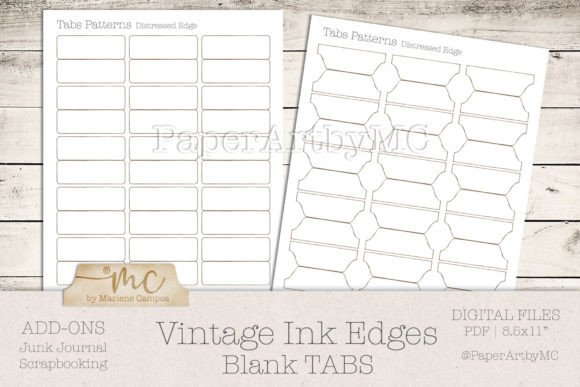
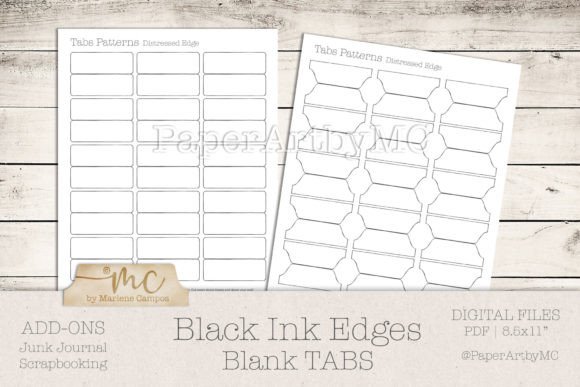
The core appeal of the Black Tabs Ink Edge Blank Template is its versatility derived from its simplicity. Unlike templates that come pre-filled with vintage images, complex patterns, or solid blocks of color, this format provides a high-resolution outline featuring a distinctive black ink edge. This design choice mimics the look of hand-stamped or hand-drawn borders often found in traditional artist books, adding a touch of rustic elegance without dictating the interior design.
Because the interior of the tab remains blank, the user retains complete creative control. This is a critical distinction for those who wish to coordinate their tabs precisely with other elements in their journal, such as specific paper collections, handwriting styles, or color palettes. The template typically includes two sheets of patterns designed for standard 8.5x11 inch paper, offering a variety of shapes and sizes. The high resolution of the files ensures that when printed, the "ink" edge appears crisp rather than pixelated, which is essential for maintaining a professional look in a handmade item.
Comparative Analysis: Blank Templates vs. Pre-Designed Ephemera
When selecting printable resources, crafters generally choose between pre-designed ephemera and blank templates. Each approach has distinct trade-offs regarding time investment, creative freedom, and final appearance.
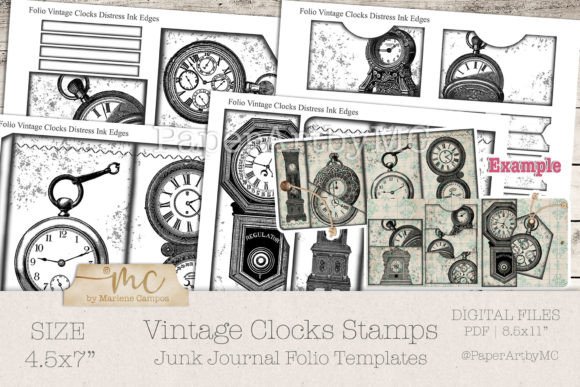
Pre-designed ephemera offers convenience. These files come ready to print and cut, often featuring elaborate collage elements. They are ideal for users who want immediate results or who may not feel confident in their drawing or coloring abilities. However, the limitation here is rigidity; the colors and themes are fixed. If your journal page features soft pastels but the tab is printed with dark, grunge-style graphics, the visual cohesion may suffer.
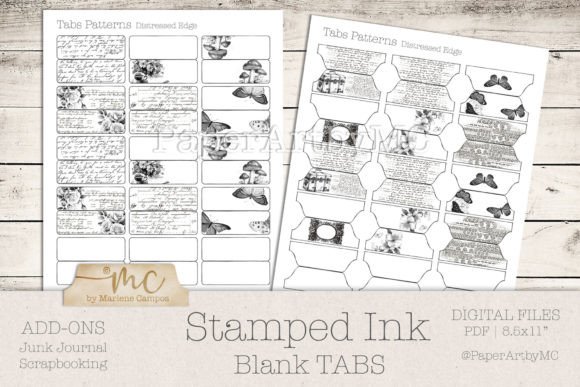
In contrast, the Black Tabs Ink Edge Blank Template requires an additional step of customization. You must fill the blank space yourself using stamps, washi tape, handwritten notes, or by mounting the printed tab onto a separate piece of decorative paper. While this demands more time, the result is a truly bespoke element that integrates seamlessly with the rest of the spread. For adults aged 20 to 50 who view journaling as a meditative or expressive hobby rather than just a quick craft, the blank template often provides a more satisfying creative experience.
Print Quality and Paper Selection
The effectiveness of any printable template is heavily dependent on the physical materials used during production. The Black Tabs Ink Edge Blank Template is optimized for home printing, but success relies on choosing the correct paper weight and type. The creator of this specific kit recommends white paper with a weight between 120g and 180g.
- 120g Opaline: This is a viable entry-level option. It is sturdy enough to hold its shape when cut but may be slightly translucent if glued over dark backgrounds.
- 160g to 180g Cardstock: This is the superior choice for durability. Heavier paper prevents the tabs from curling over time and withstands the friction of frequent flipping better than lighter weights.
Using standard copy paper (typically 75g–90g) is generally discouraged for this application. Lighter paper can tear easily at the fold or cut lines and may allow printer ink to bleed through, ruining the clean look of the black edge. Furthermore, the texture of the paper matters. Smooth cardstock yields the sharpest print for the ink edge, while textured watercolor paper might cause the fine black lines to appear jagged or broken.
Technical Considerations for Home Printing
Executing a print job for junk journal supplies requires attention to printer settings that go beyond default configurations. Since the Black Tabs Ink Edge Blank Template relies on precise lines, printer calibration is key. Most home printers, including common brands like HP, have settings that allow users to adjust paper size, print quality, and media type.
To achieve the best results, users should navigate to their printer properties and select the highest resolution available. It is also crucial to match the printer setting to the actual paper being used; selecting "Cardstock" or "Heavy Paper" in the driver settings slows down the printing process, allowing the ink to dry properly and preventing smudging. Additionally, because monitor calibration varies across different computers, what looks like a pure black on screen might print as a dark gray on some devices. Creating a test proof on a single sheet before committing to a full batch is a prudent step to verify contrast and alignment.
Double-sided printing is another factor to consider. Some junk journalers prefer to print the tab design on the front and a coordinating pattern or journaling prompt on the back. However, home printers vary significantly in their ability to handle double-sided feeds without jamming or misaligning the second pass. If your printer does not support automatic duplexing, manual flipping is required, which introduces a margin for error. For those without access to a reliable color home printer, utilizing a local copy center can be a strategic alternative. Professional shops often possess industrial-grade printers that handle heavier cardstocks more reliably and offer a wider range of paper textures than typical consumer models.
Evaluating the Workflow: Cut-by-Hand vs. Digital Cutting
This specific template is designed with a "print and cut by hand" workflow in mind. This approach appeals to those who enjoy the tactile nature of crafting. Cutting by hand allows for slight organic variations that can enhance the handmade feel of a junk journal. It also requires no additional investment in machinery like electronic die-cutters or silhouette machines.
However, this manual approach has limitations regarding volume and precision. If a crafter intends to produce hundreds of tabs for a large-scale project or a small business, hand-cutting becomes time-prohibitive. In such cases, users might look for SVG files compatible with digital cutting machines. Yet, for the average hobbyist creating personal keepsakes, the simplicity of printing on 8.5x11 sheets and using scissors or a craft knife offers a low-barrier entry point. The black ink edge serves as a natural guide for cutting, helping to ensure that the border remains visible and even around the perimeter of the tab.
Decision Factors: Is This Template Right for You?
Determining whether to utilize the Black Tabs Ink Edge Blank Template depends on your specific project requirements and personal working style. This resource is likely the optimal choice if:
- You prioritize customization and want your tabs to match specific color schemes or themes not found in pre-made kits.
- You enjoy the process of embellishing and adding personal touches like handwriting or stamping to your ephemera.
- You have access to a decent quality printer and are comfortable troubleshooting basic print settings.
- You prefer a classic, understated aesthetic where the focus remains on the journal content rather than loud decorative elements.
Conversely, this template may not be the best fit if you are looking for a "print-and-go" solution with zero assembly required, or if you lack the tools to cut intricate shapes neatly by hand. Additionally, if your artistic style leans heavily toward bright, full-coverage digital collages, a blank tab with a simple black border might feel too sparse unless you intend to cover it entirely with other materials.
Ultimately, the value of this template lies in its function as a foundational element. It provides the structure and the framing, leaving the narrative content up to the creator. By understanding the nuances of paper weight, printer settings, and the trade-offs between blank and pre-designed formats, crafters can make informed decisions that elevate the quality and longevity of their junk journal projects.